Stock you can find.
Every item has a part number, a serial, a condition and a place on the shelf, so a question like "do we have one, and where?" has an answer in seconds.
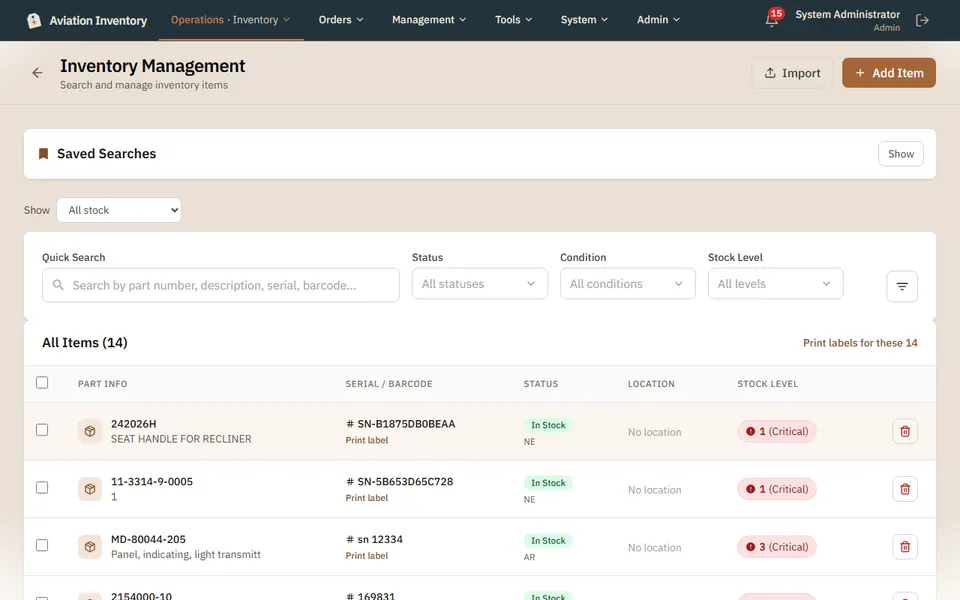
What it tracks
- Quantities by location, with a minimum per part number and an alert when stock drops below it
- Condition codes: new, overhauled, serviceable, as removed, repaired, new surplus, factory new, and B.E.R. (beyond economical repair)
- A serial number belongs to the part, so a unit that was sold, exchanged or returned can be entered again; tail numbers are your shop's own
- Status: serviceable, unserviceable, quarantined, scrapped. Scrapping is a recorded step (how it was disposed of, who checked it, why) and is final
- Printable barcode and QR labels on every plan; scanning a barcode or QR code to find a part, move it or log it is on Pro and up
Finding things
Search by part number, serial or description. A part number typed without its dashes, slashes or spaces still finds the part, so 65C1293111 finds 65C12931-11. In the Inventory list you can also change a part's location, and an admin or manager its price, without opening the part.
Questions
- Can I track the same part number with different serials?
- Yes. Each serial is its own unit with its own condition, location and paperwork.
- Can I be warned before I run out?
- Yes. Set a minimum per part number and an alert is raised when stock drops below it.
- What happens when I scrap a part?
- Scrapping is a recorded step: how it was disposed of, who checked it and why. It is final.
Keep reading
Try it with your own parts.
14 days free. No credit card required.