See where a part came from
Every part keeps its story: who held it, which paperwork came with it, and what the stock is set aside for.
About 2 min
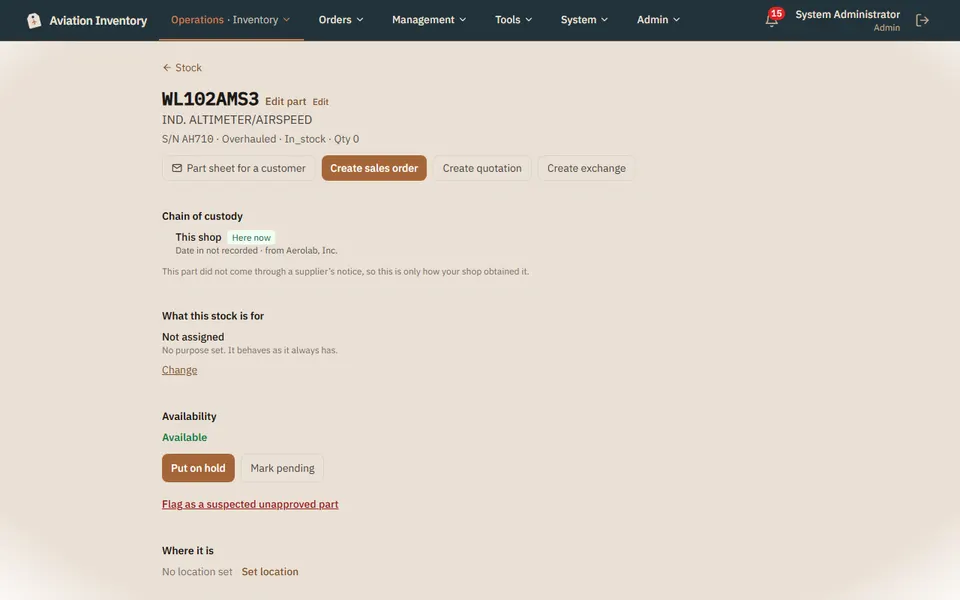
Open a part
Tap its row in Inventory.
Read the chain of custody
Each hand it passed through is listed, with the date and the documents that moved with it.
Check what the stock is for
Stock can be free, held for a customer or reserved for a work order. Availability shows what is left to sell.
Look for history gaps
If a stretch of the part's life is missing from the records, the part says so instead of hiding it.
Tip: Life-limited parts also appear in Reports > Life-limited parts, nearest a limit first.