Scrap a part (beyond economical repair)
Take a part out of use for good, with a record of how, who checked it and why.
About 1 min · Admins and managers.
Open the part
A part received as B.E.R. is already held in quarantine. Approving its receipt does not release it.
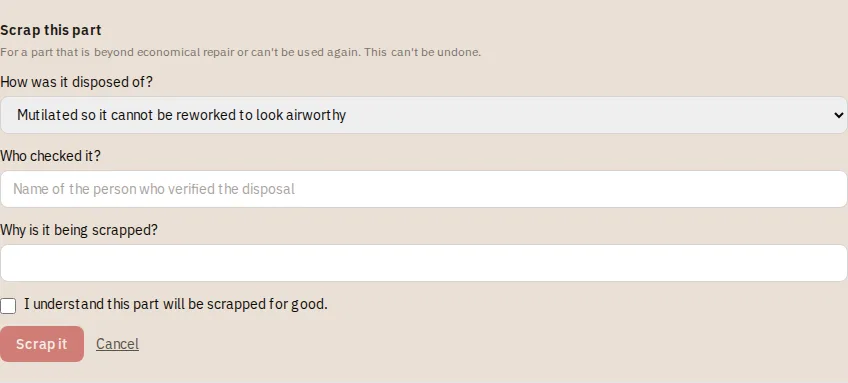
Press Scrap this part
The form asks how it was disposed of, who checked it, and why.
Confirm
Tick that you understand it is final, then confirm. The part can no longer be sold, issued or installed.
Tip: Scrapping is recorded in the audit log and cannot be undone. If you are not sure, leave the part in quarantine.