Run a work order
Assign the job, tick off tasks, pull the parts it uses and move it along until it is complete.
About 3 min
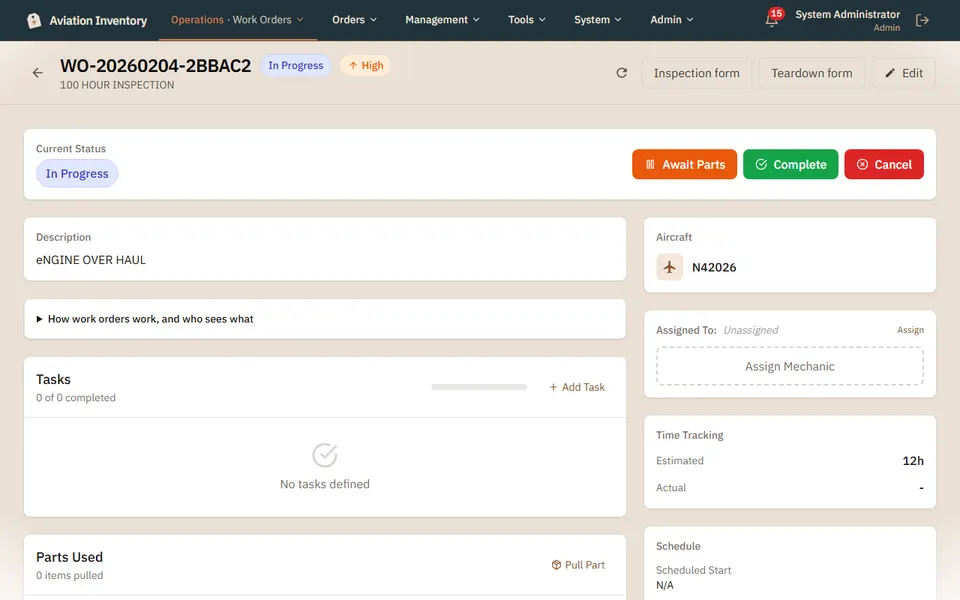
Open the work order
Shop > Work Orders, then tap the one you want. The status and the next steps are at the top.
Add tasks and a mechanic
Add Task builds the checklist. Assign Mechanic puts a name on the job.
Pull parts
Pull Part takes stock off the shelf and records it against this job, so the count stays right.
Move it on
Await Parts pauses it while something is on order. Complete closes it out. Some shops need a supervisor to approve first.
Tip: The grey panel "How work orders work, and who sees what" explains roles in plain words.