Release certificates that stay with the part.
An 8130-3 in a drawer is a certificate nobody can find when the auditor asks. Here each certificate is filed against the part and serial it covers, so the paperwork is one tap from the part.
What you can do
- File FAA Form 8130-3, EASA Form 1 and other certificates against parts and serial numbers
- Scan a batch of release or repair paperwork with an ADF scanner: one PDF, one page per form. Each page is read for you, matched to the part it is for, and shown for you to check before it is attached (Growth and up)
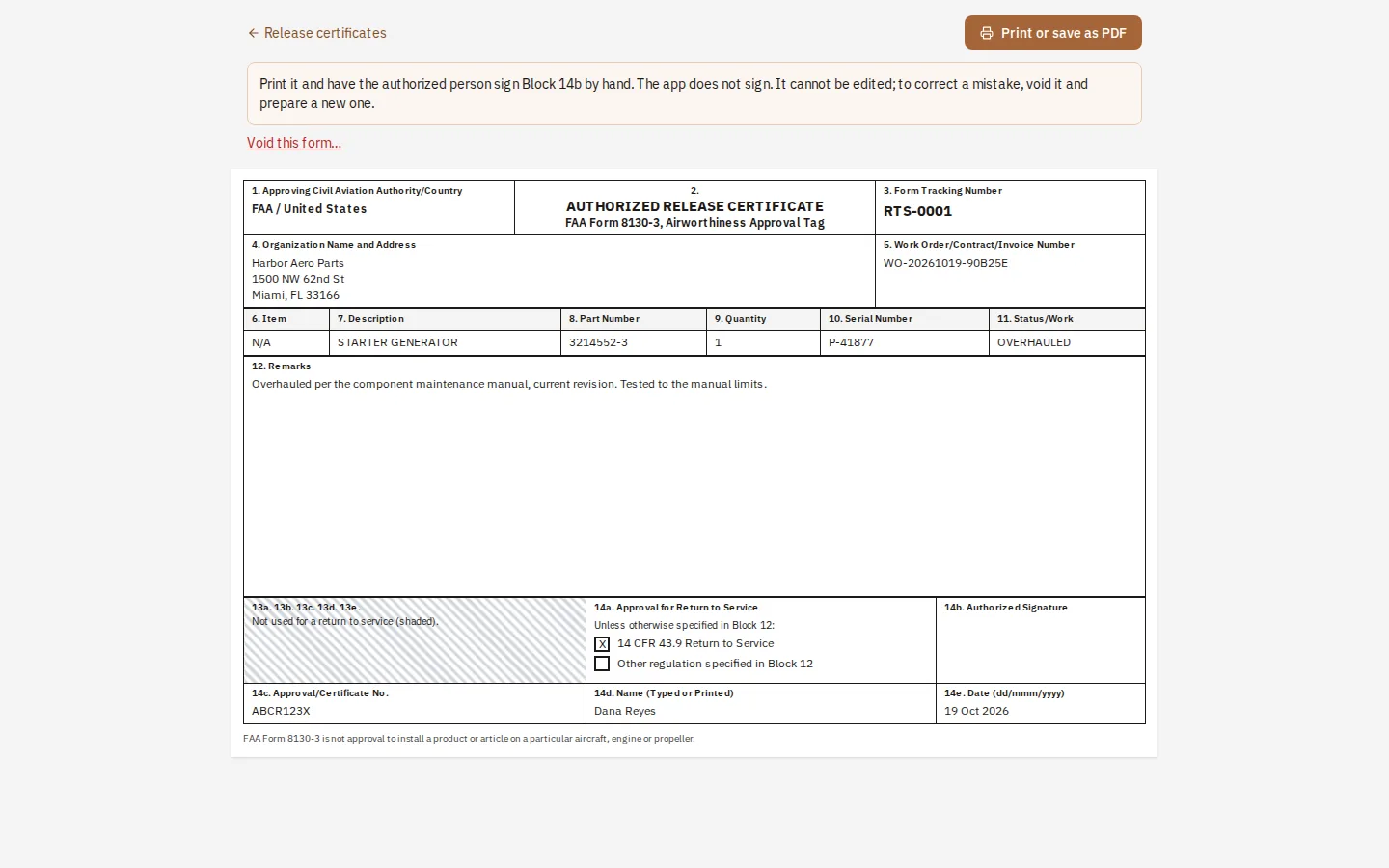
- Prepare the release certificate yourself: an FAA 8130-3 for return to service, an EASA Form 1 or a Transport Canada Form One, each laid out block by block with the rules in plain words, numbered, kept as a record, and left for the authorized person to sign by hand
- Prepare an export application (FAA 8130-1 Part II) for parts going to a buyer abroad, started from the sales order
- See expiry dates coming before they arrive
- Attach documents and photos where they belong
Where it stops
The program never signs a release. It prepares the form and keeps the record; the authorized person signs it by hand. Consumables usually need a certificate of conformity, not an 8130-3, and the program follows that.
Questions
- Does it sign the 8130-3 for me?
- No. It prepares the form block by block and keeps a numbered record. The authorized person signs it by hand.
- Can I scan a stack of old paperwork?
- Yes, on Growth and up: scan the stack with an ADF scanner into one PDF with one page per form, and each page is read and matched to a part for you to check.
- Which certificates are supported?
- FAA Form 8130-3, EASA Form 1 and Transport Canada Form One can be prepared. Other certificates can be filed against the part.
Keep reading
Try it with your own parts.
14 days free. No credit card required.