Prepare an FAA 8130-3 for return to service
Fill the form block by block from a work order, then print it for the authorized person to sign.
About 3 min · Admins, managers and supervisors prepare it. Who signs is set by your certificate.
Start from the work order
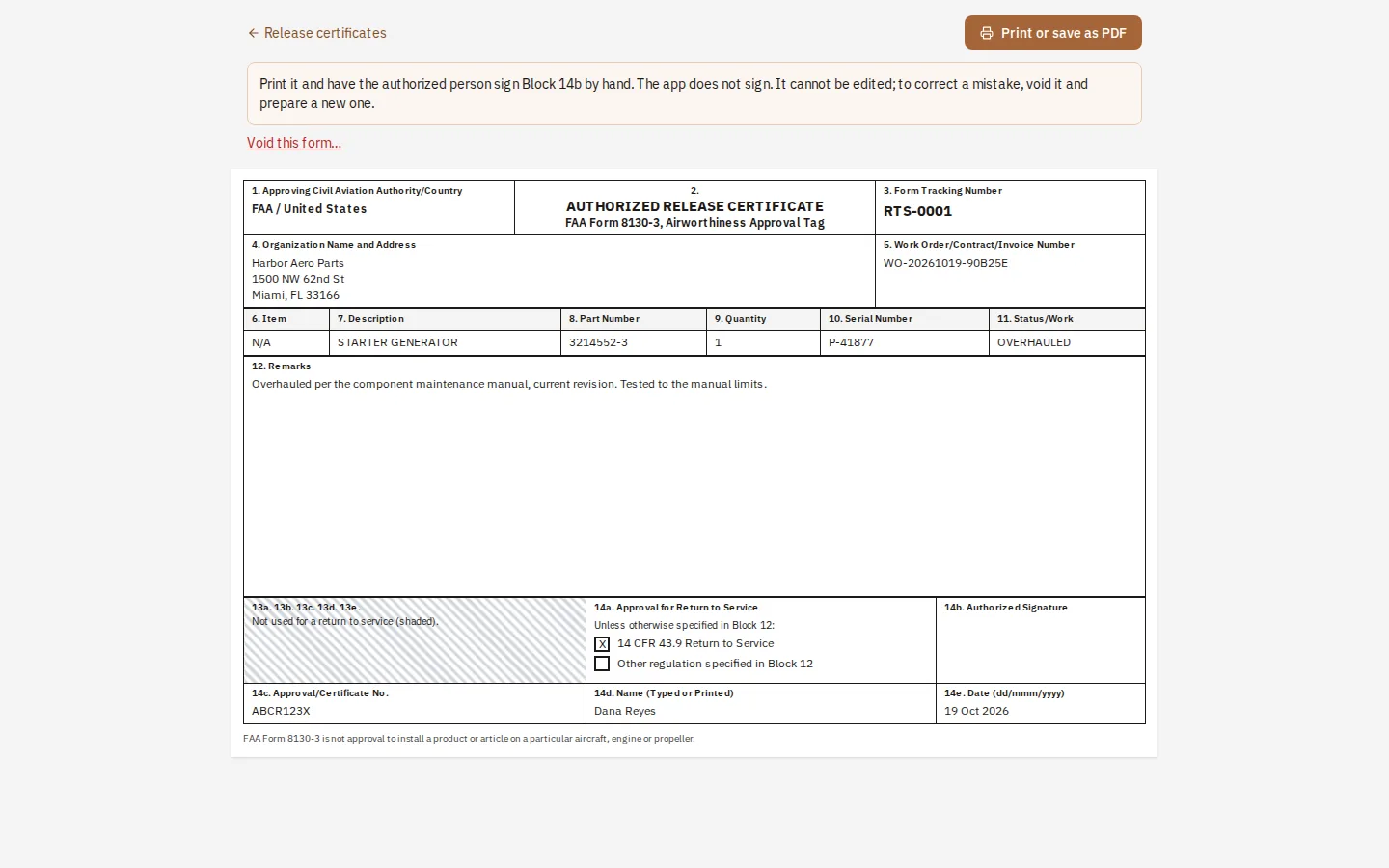
Open the work order and press Prepare 8130-3 release. Block 4 (your name and address), Block 5 and the work done come across for you to check.
Describe the article
Description, part number and serial number (Blocks 7, 8 and 10). It is one article per form: make a form for each article.
Say what was done
Block 11 is overhauled, repaired, inspected, tested or modified. Block 12 describes the work and the data used, including its revision.
Approval for return to service
Block 14a: tick 14 CFR 43.9, and the other box when the work also meets another authority. Add the certificate number, the signer's name and the date the work was completed.
Give it a number and print
The form gets its tracking number and is frozen. Print it; the authorized person signs Block 14b by hand. To correct a mistake, void it and prepare a new one.
Tip: The app never signs. Compare the form with the FAA's current Form 8130-3 before first use, and have your quality manager check it.