Prepare an EASA Form 1 or Form One
The release certificate for maintenance, block by block, ready for the authorized person to sign.
About 3 min · Admins, managers and supervisors prepare it. Who signs is set by your approval.
Choose the form
Paperwork > Release Certificates, then New EASA Form 1 (or New Form One for Transport Canada).
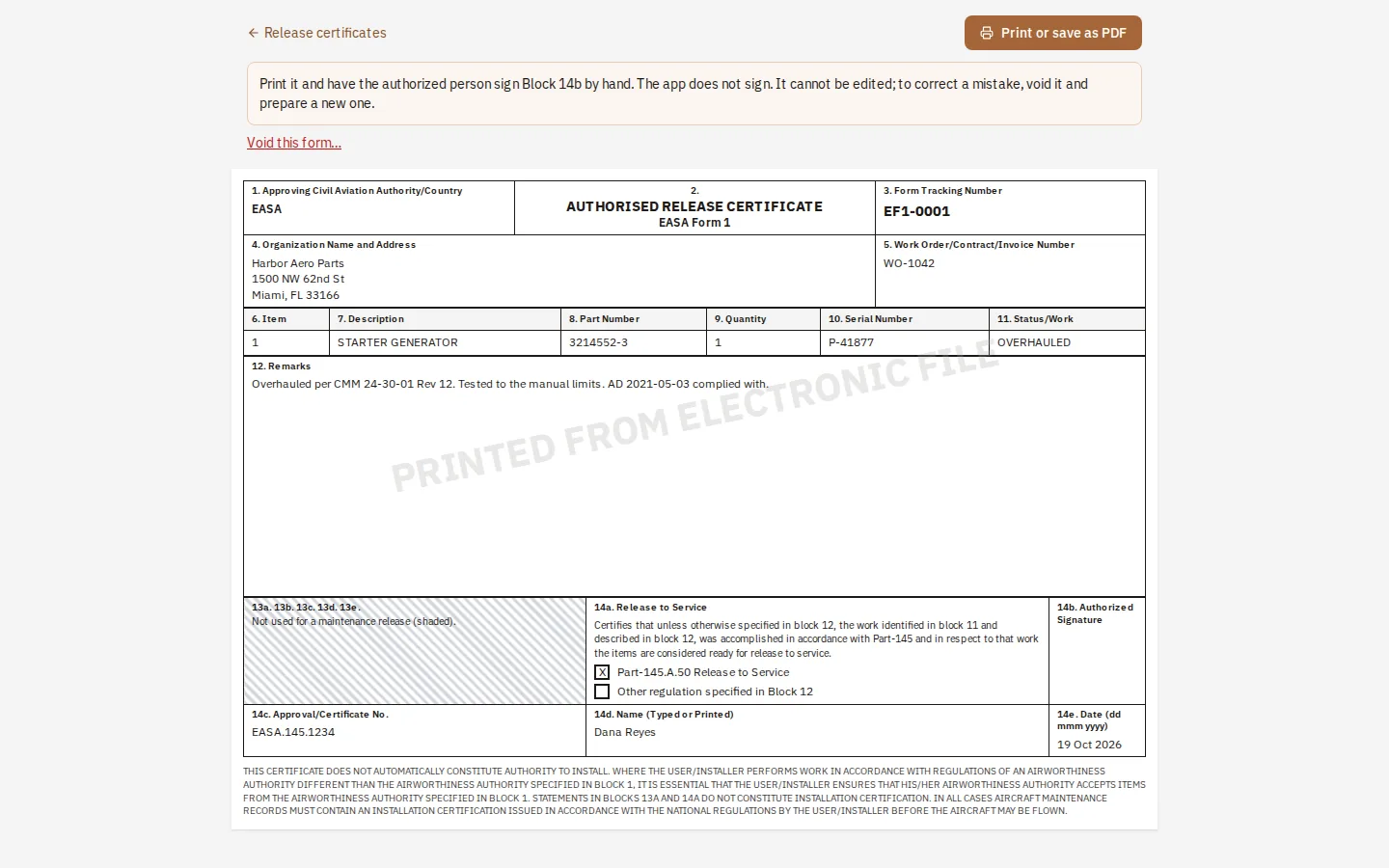
Authority, organization and the item
Block 1 is your approving authority (EASA, or a national authority). Then your name and address, the description, part number, quantity and serial number.
What was done
Block 11 takes one term. Block 12 names the maintenance data and its revision: "in accordance with the CMM" alone is not accepted.
Release to service
Tick the Part-145.A.50 box (or CAR 571.10 on the Canadian form), add the approval number, the signer's name, and the date Block 14b will be signed.
Prepare and print
The form gets its tracking number and is frozen. Print it; the authorized person signs Block 14b by hand. To correct a mistake, void it and prepare a new one.
Tip: The app never signs. Compare the printed form with your authority's current one before first use.