Check each part against what the supplier said.
When a supplier on the app tells you what is on its way, check each part against that as it arrives, before it goes into stock.
How it works
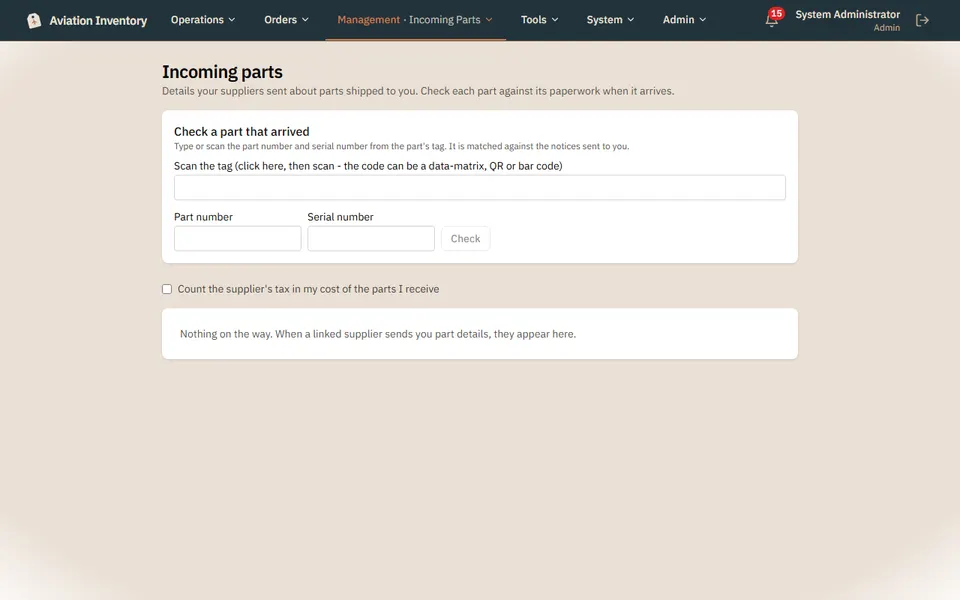
- Incoming parts lists what suppliers have sent details for
- Scan or type the tag; the part number and serial are matched against the notice, and if they differ the supplier is told
- A part that checks out is added to inventory held for review, and released to stock once the part and its paperwork look right
- Available on Growth and up
How it works
Open Incoming parts
Stock > Incoming parts lists what suppliers have sent details for.
Scan or type the tag
Part number and serial are matched against the notice. If they differ, say so and the supplier is told.
Hold it for review
A part that checks out is added to inventory held for review.
Release it to stock
Once the part and its paperwork look right, release it so it can be used.
Step-by-step guides
Questions
- What if the serial does not match?
- Say so and the supplier is told.
- Does it go straight into stock?
- No. A part that checks out is held for review until you release it.
Keep reading
Try it with your own parts.
14 days free. No credit card required.