Follow a purchase order to the shelf
See where an order is, receive what arrived with its paperwork, and close it when it is all here.
About 3 min · Prices: admin or manager
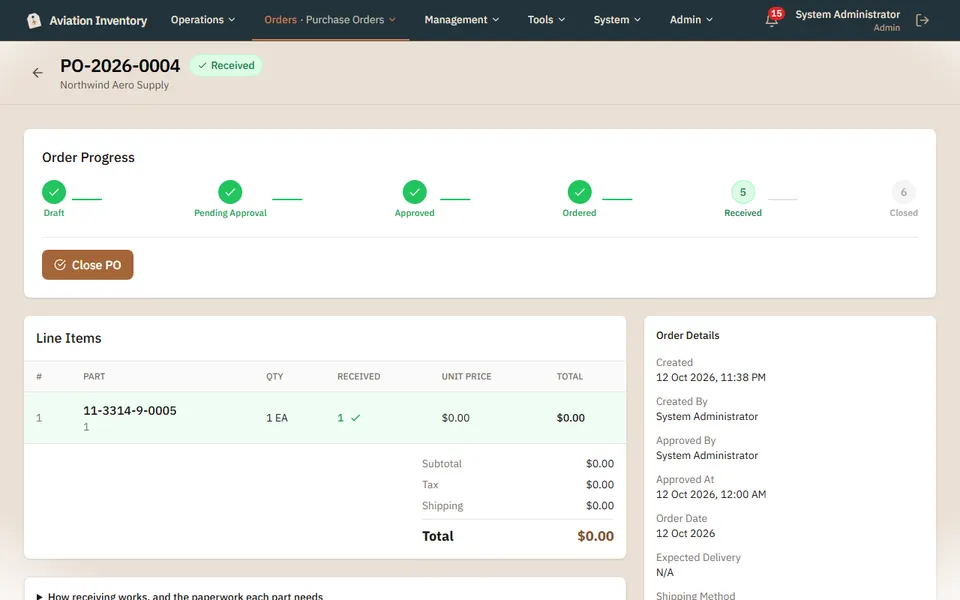
Read the progress bar
Draft, pending approval, approved, ordered, received, closed. The filled circles are done.
Check the lines
Each line shows how many you ordered and how many have arrived.
Receive what arrived
Say how many came, their condition and the release document that came with them. Parts are held until someone approves the receipt.
Close it
When every line is in, Close PO finishes the order.
Tip: Prices and totals are shown only to admins and managers.