See what has sat on the shelf too long.
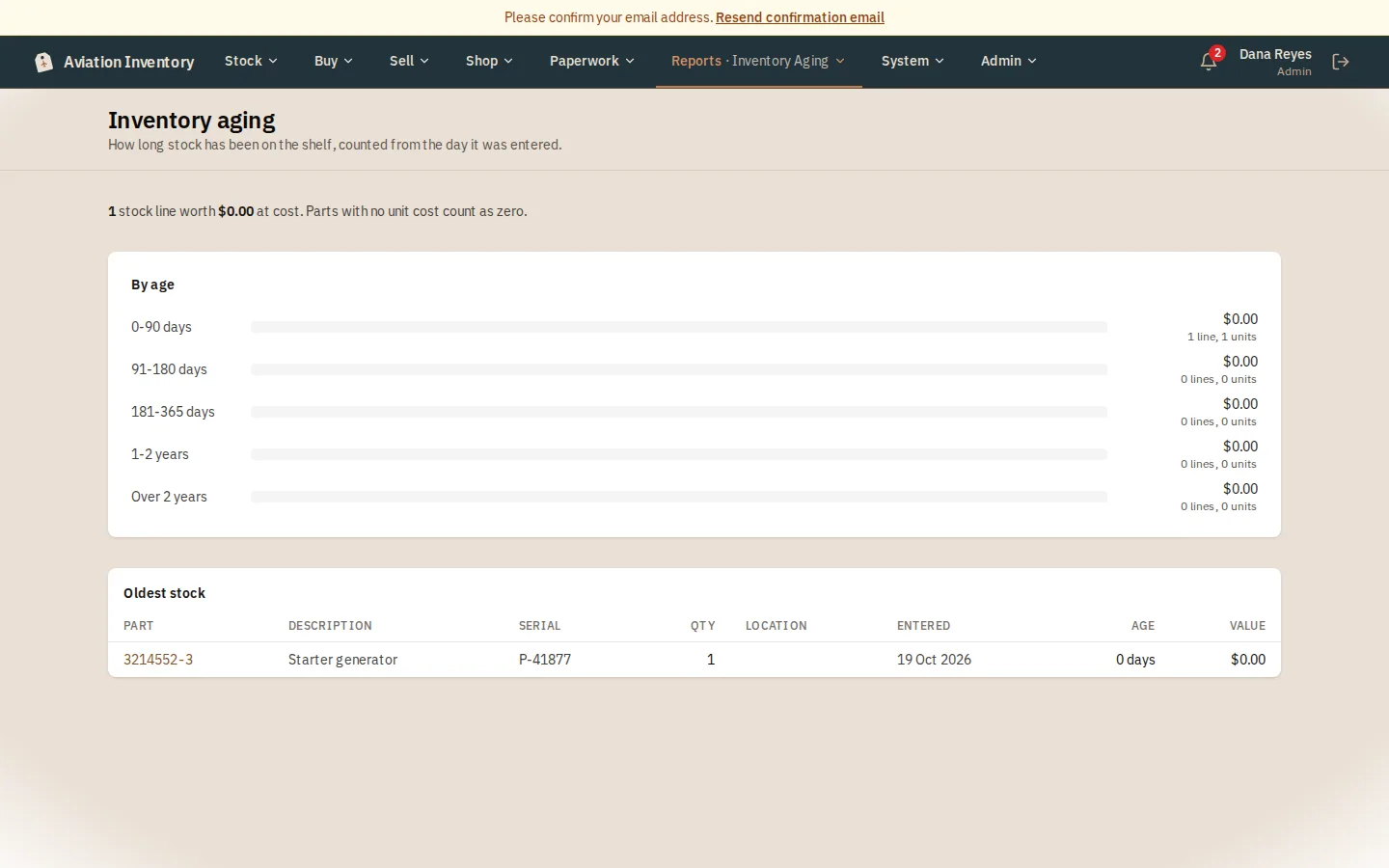
How long stock has been on the shelf, what each age band is worth, and the oldest lines to decide about.
What the reports show
- Five age bands from 0 to 90 days up to over 2 years, each with its value and how many lines it holds
- The oldest 100 lines, each opening the part so you can decide what to do
- Reports on parts usage, vendors, costs, stock aging, quotes and budget (Growth and up)
- Value and costs are for admins and managers
How it works
Open the report
Reports > Inventory Aging.
Read the bands
Five bands from 0 to 90 days up to over 2 years, each with its value and how many lines it holds.
Look at the oldest
The list below the bands shows the oldest 100 lines. Press a part number to open it and decide what to do.
Step-by-step guides
Questions
- Who can see the aging report?
- Admins and managers, because it shows value.
- Which plans have the other reports?
- Growth and up.
Keep reading
Try it with your own parts.
14 days free. No credit card required.