Print a part tag with your logo
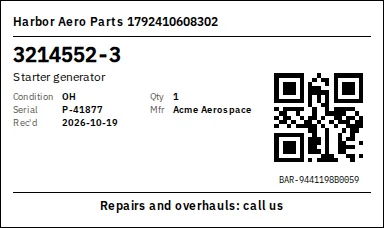
A 4 inch tag with the part details, a QR code and a message of your own, for a shelf or a shipment.
About 1 min
Pick the parts
In Inventory, tick the parts and choose Print label.
Choose the tag size
Under Printing on, pick Part tag, short (4 by 2 and 3/8 inches) or Part tag, tall (4 by 6 inches).
Add your message
Type a line such as Repairs and overhauls: call us, or leave it empty. Tick or untick Print my logo.
Print at 100 percent
In the print window set the scale to 100 percent (Actual size) and pick your label size.
Tip: Scanning the QR code later finds the part in Classify, batch add and the phone app.