List a part on eBay when you choose to.
Put a part you hold on eBay at your own price. Nothing is listed until you press the button.
How it behaves
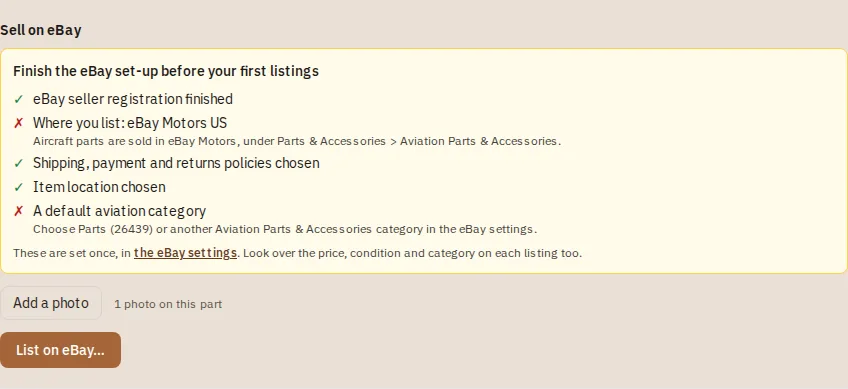
- An admin connects eBay once and sets the shipping, payment and returns policies, an item location and a category
- The panel is on the part's page; the title, description, quantity and condition start from what the app knows, and you can change any of them
- Your eBay price starts at the sale price but can be different, and it never changes the sale price in the app
- From the same panel you can change the price or end the listing; the part stays in stock
How it works
Connect eBay (admin, once)
Integrations > eBay. Then open Listing settings and pick your shipping, payment and returns policies, an item location and a category. New to selling on eBay? One button makes simple policies for you.
Open the part
The Sell on eBay panel is on the part page. It needs a photo; add one from the panel if the part has none.
Check what is filled in
Press List on eBay. The title, description, quantity and condition start from what the app knows. Change any of them.
Set your eBay price
It starts at the sale price but can be different. It never changes the sale price in the app.
List it
Press List on eBay. From the same panel you can change the price or end the listing; the part stays in stock.
Step-by-step guides
Questions
- Does listing change my sale price?
- No. The eBay price is its own price and never changes the sale price in the app.
- Can I list without a photo?
- No. A part needs a photo, and you can add one from the panel.
Keep reading
Try it with your own parts.
14 days free. No credit card required.